
DuckDB is a high-performance, in-process SQL OLAP (Online Analytical Processing) database management system. Unlike traditional client-server databases, DuckDB runs embedded within your application – similar to SQLite, but optimized for analytical workloads rather than transactional ones.
Think of it as “SQLite for analytics” – it requires zero configuration, has no external dependencies, and can process complex analytical queries on datasets ranging from megabytes to hundreds of gigabytes directly on your local machine.

DuckDB offers two primary modes of operation to fit different use cases:
DuckDB’s architecture is built for analytical performance:
Getting started with DuckDB is remarkably simple – no server installation, no configuration files, no dependencies.
Download and install the standalone executable for your platform.
pip install duckdb
That’s it! No database server to configure, no ports to open, no users to create.
Note: Clients for other programming languages exist (Go, Java, JS, C/C++, R, Rust, and more)
The DuckDB CLI provides an interactive SQL shell for quick analysis:
# Start in-memory session
duckdb

# Or connect to a persistent database
duckdb my_analytics.db
Common CLI operations:
-- Query local files directly (no import needed!)
SELECT * FROM 'data/sales.parquet' LIMIT 10;

-- Query CSV files with automatic schema detection
SELECT * FROM 'data.csv';

-- Export results
COPY (SELECT * FROM 'data/sales.parquet' WHERE year = 2024)
TO 'output/sales_2024.parquet' (FORMAT PARQUET);

-- Show available tables
SHOW TABLES;

-- Describe table structure
DESCRIBE my_table;
Python integration is where DuckDB truly shines:
import duckdb

# Create a connection
con = duckdb.connect()  # in-memory
# con = duckdb.connect('my_db.db')  # persistent

# Query local files
result = con.execute("""
    SELECT category, SUM(amount) as total
    FROM 'sales/*.parquet'
    GROUP BY category
    ORDER BY total DESC
""")

# Get results as a Pandas DataFrame
df = con.execute("SELECT * FROM 'data.parquet'").df()

# Get results as a Polars DataFrame
pl_df = con.execute("SELECT * FROM 'data.parquet'").pl()

# You can then work with classic DataFrames
DuckDB seamlessly connects to Azure Blob Storage and ADLS Gen2 through the azure extension, enabling you to query cloud data as if it were local.
INSTALL azure;
LOAD azure;
Note: These commands are optionnal, the azure extension is automaticly downloaded and installed when using any of the extension keywords (e.g. TYPE AZURE)
DuckDB’s unified SECRET management system provides multiple authentication methods:
CREATE SECRET azure_secret (
    TYPE AZURE,
    CONNECTION_STRING 'DefaultEndpointsProtocol=https;AccountName=myaccount;AccountKey=...;EndpointSuffix=core.windows.net'
);
CREATE SECRET my_azure_spn (
    TYPE AZURE,
    PROVIDER SERVICE_PRINCIPAL,
    TENANT_ID '00000000-0000-0000-0000-000000000000',
    CLIENT_ID '00000000-0000-0000-0000-000000000000',
    CLIENT_SECRET 'my-client-secret-value',
    ACCOUNT_NAME 'myaccount'
);
CREATE SECRET azure_mi (
    TYPE AZURE,
    PROVIDER CREDENTIAL_CHAIN,
    ACCOUNT_NAME 'myaccount'
);
DuckDB supports multiple URI formats for Azure storage:
-- Standard ADLS Gen2 path format
SELECT * FROM 'abfss://<container>@<storageaccount>.dfs.core.windows.net/path/to/file.parquet';

-- Simplified format (when account is specified in secret)
SELECT * FROM 'abfss://<container>/path/to/file.parquet';
-- Azure Blob Storage format
SELECT * FROM 'az://container/path/to/file.parquet';
Both formats support glob patterns for querying multiple files:
-- Query all parquet files in a directory
SELECT * FROM 'abfss://datalake/raw/sales/*.parquet';

-- Query files across partitioned directories
SELECT * FROM 'abfss://datalake/raw/sales/year=*/month=*/*.parquet';
One of DuckDB’s most powerful features is the ability to join data across different sources in a single query – local files, different cloud storage accounts, and in-memory dataframes.
Consider a scenario where your transactional data lives in one storage account and master data (product catalog, customer info) lives in another:
-- Set up secrets for multiple storage accounts
CREATE SECRET adlsduckdb (
    TYPE AZURE,
    PROVIDER CREDENTIAL_CHAIN,
    ACCOUNT_NAME 'adlsduckdb'
);

CREATE SECRET adlsmasterdata (
    TYPE AZURE,
    PROVIDER CREDENTIAL_CHAIN,
    ACCOUNT_NAME 'adlsmasterdata'
);

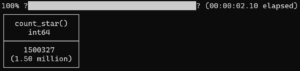
select count(*) from
'abfss://data@adlsduckdb.dfs.core.windows.net/orders.parquet' orders join          -- from main data lake
'abfss://masterdata@adlsmasterdata.dfs.core.windows.net/customer.parquet' customer -- from master data lake
on customer.c_custkey = orders.o_custkey;
-- Enrich cloud data with local reference data
SELECT
    cloud_data.*,
    local_mapping.display_name
FROM 'abfss://datalake/raw/events/*.parquet' cloud_data
JOIN 'local_reference/code_mappings.csv' local_mapping
    ON cloud_data.code = local_mapping.code;
DuckDB’s Python integration is exceptionally powerful, offering zero-copy data exchange with popular data science libraries like Pandas or Polars.
DuckDB provides a seamless SQL interface for Pandas, allowing for complex relational queries on existing local DataFrames.
Because it accepts and outputs DataFrames natively, the tool fits perfectly into existing data pipelines.
import duckdb
import pandas as pd

# Create a pandas DataFrame
df = pd.DataFrame({
    'id': [1, 2, 3],
    'value': [100, 200, 300]
})

# Query pandas DataFrame directly - zero copy!
result = duckdb.query("SELECT * FROM df WHERE value > 150").df()

# Register DataFrame as a virtual table
con = duckdb.connect()
con.register('my_table', df)
con.execute("SELECT * FROM my_table").fetchall()
import duckdb
import polars as pl

# Create a Polars DataFrame
df = pl.DataFrame({
    'id': [1, 2, 3],
    'value': [100, 200, 300]
})

# Query Polars DataFrame directly
result = duckdb.query("SELECT * FROM df WHERE value > 150").pl()

# Use Polars lazy frames for optimized execution
lazy_df = df.lazy()
result = duckdb.query("SELECT * FROM lazy_df").pl()
While DuckDB is remarkably capable, there are some limitations to be aware of when running locally:
More than a database, DuckDB can be used as a query engine in small data workflows, replacing or completing Pandas and Polars.
Furthermore, DuckDB ability to scale enable its usage in Big Data environnements, and can be easily integrated within plaforms like Fabric or BigQuery.
You will find there useful information about DuckDB:
