
Git Submodules are a Git feature that allows you to embed a Git repository inside another repository. This approach is particularly useful when multiple projects need to share a common library while maintaining precise control over the versions being used.
In this article, we will explore what a Git Submodule is, how it works, as well as its advantages and limitations in a software project.
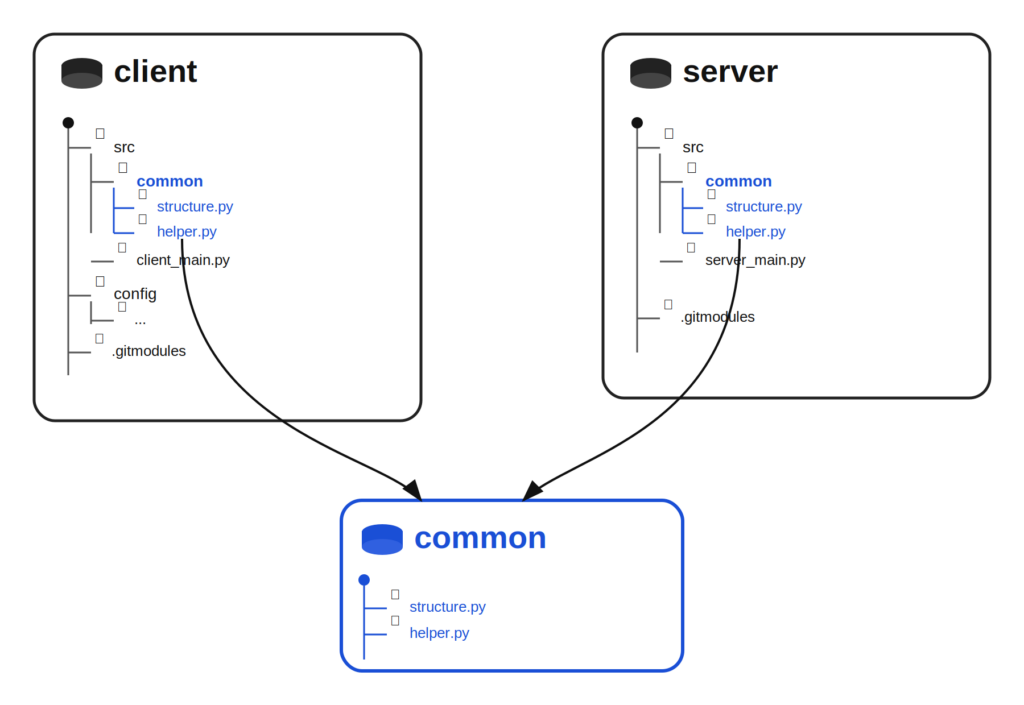
In many software projects, several applications or services share part of their code. This can include:
For example, a team may maintain multiple microservices that rely on the same internal library. This library may handle authentication, communicate with an external API, or implement certain business features.
Managing this shared code quickly becomes complex.
A first approach is to copy the code into each repository. This solution seems simple at first, but it quickly leads to issues:
Another approach is to place this code in a separate Git repository to version it independently.
However, a question quickly arises:
How can this external repository be integrated into multiple projects while controlling the version being used?
Git Submodules provide a solution to this problem. They allow a Git repository to be embedded into another repository while preserving its history and versioning.
Example of a structure with shared code:
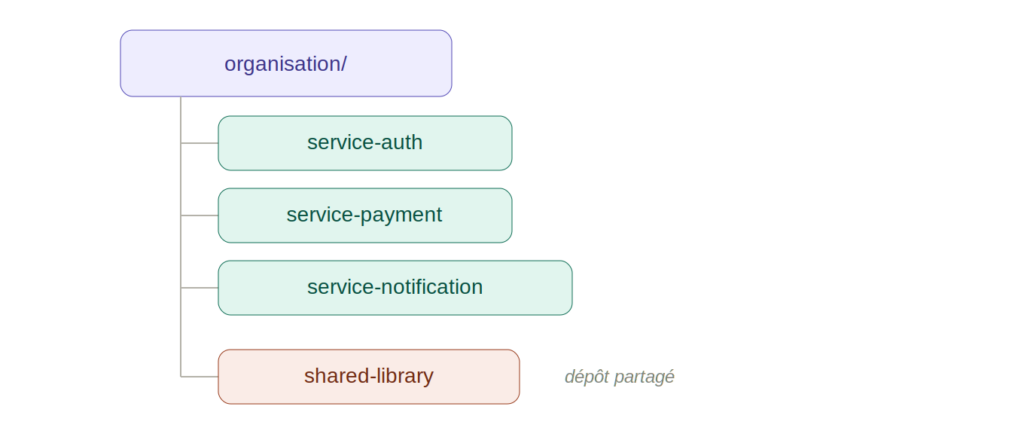
Each service uses a shared library maintained in a separate repository.
With Git Submodules, a project may look like this:
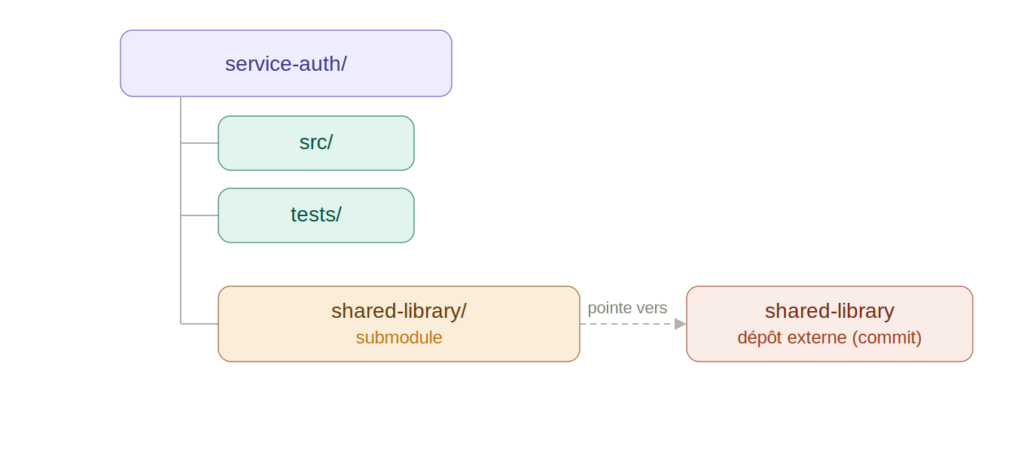
The shared-library folder then corresponds to an external Git repository integrated into the project.
Git Submodules allow you to embed a Git repository within another repository while keeping them independent (see documentation).
The embedded repository has:
When adding a submodule, Git does not simply copy files. The main repository stores a reference to a specific commit of the external repository.
This means that the parent project points to an exact version of the submodule.
All developers therefore use the same version of the shared code.
Git stores submodule information in the following file .gitmodules .
This file contains:
Git Submodules allow a shared library or component to be maintained in a dedicated repository.
Projects that depend on it can then integrate this repository as a submodule.
Each project can choose which version of the component to use by pointing to a specific commit.
This approach provides several benefits:
Git records both:
It is therefore possible to reproduce the exact state of a project at a given point in time.
Here are the most commonly used commands when working with Git Submodules.
Add a submodule
git submodule add https://github.com/organisation/shared-library.git libs/shared-library
This command:
Clone a project with its submodules
git clone --recurse-submodules https://github.com/organisation/project.git
This command retrieves:
Initialize submodules after cloning (if the project has already been cloned)
git submodule update --init --recursive
This command downloads all required submodules.
Git Submodules offer several advantages for managing shared code:
However, despite these advantages, Git Submodules also introduce certain constraints:
Git Submodules are not the only solution for sharing code.
In a monorepo, multiple projects are grouped within a single repository.
Advantages:
Disadvantage:
https://docs.github.com/en/get-started/using-git/about-git-subtree-merges
Git Subtree allows you to directly integrate the content of one repository into another.
Advantage:
Disadvantage:
Another approach is to publish a library as a package.
Examples:
Projects can then consume this library as a standard dependency.
